
03 Aug 2026
Everything you need to know about Monitor Stands
A monitor stand is an essential desk accessory that raises your monitor to eye level, helping improve posture, reduce neck and back strain, and create a more comfortable workspace. Whether you're working from home, in an office, studying, or gaming, a monitor stand enhances productivity by providing better screen positioning and keeping your desk organized. Available in single, dual, and adjustable designs with height, tilt, swivel, and rotation features, monitor stands offer ergonomic support for different work setups. Before choosing one, ensure it supports your monitor's size, weight, and VESA compatibility for a secure and comfortable viewing experience.
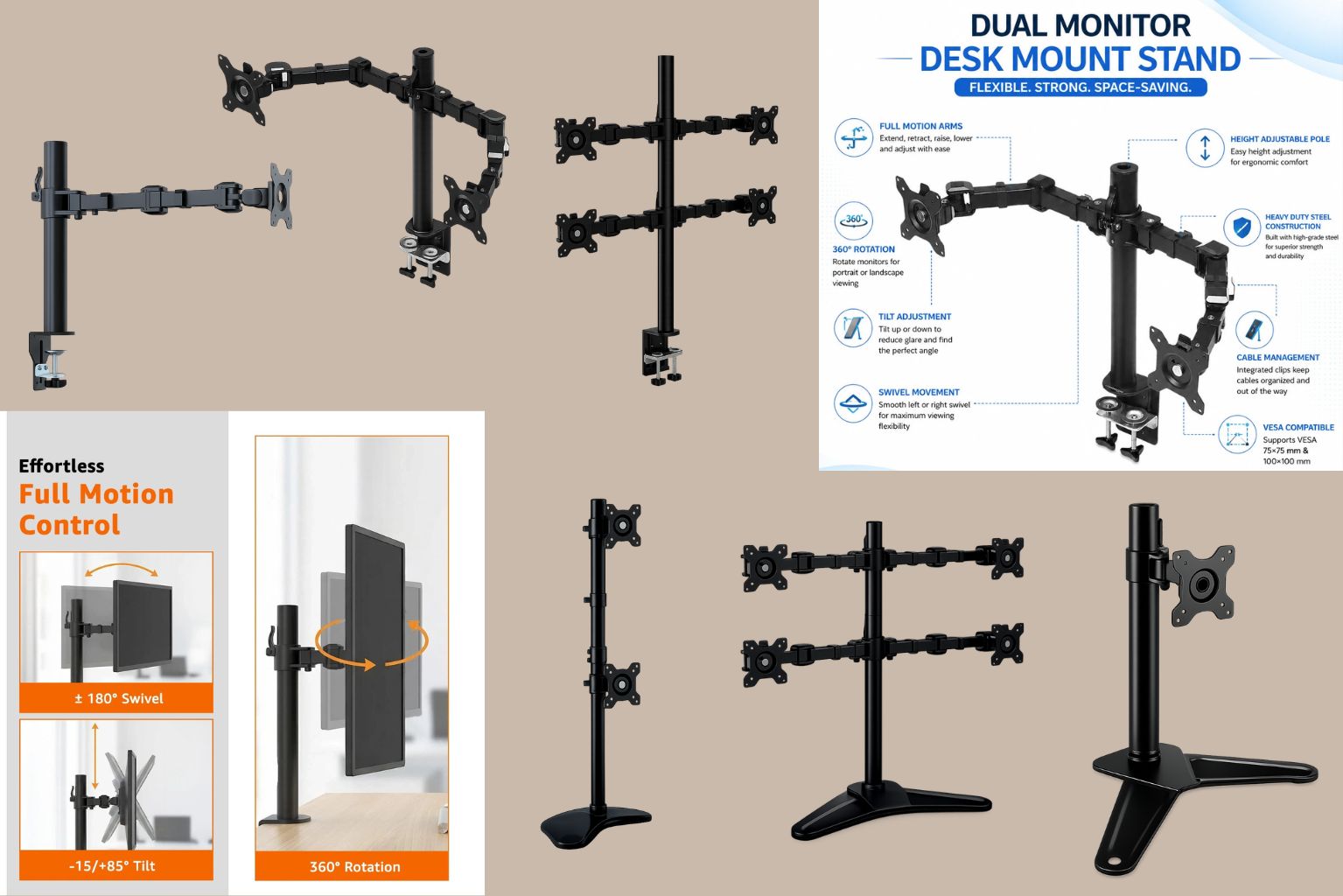
EVERYTHING YOU NEED TO KNOW ABOUT MONITOR STANDS
What Is a Monitor Stand?
A monitor stand is a platform that raises your monitor above the desk surface. Some stands are simple and flat, while others have shelves or drawers for storage. The main purpose of a monitor stand is to bring the screen to eye level.
Benefits of Using a Monitor Stand
Better Sitting Posture
A Monitor Stand Keeps your screen at eye level, helping you sit straight and comfortably while working. Good posture reduces pressure on your neck, shoulders, and back, making it easier to work for long hours without discomfort.
Reduces Neck and Back Pain
Working on a computer and looking down at your monitor for long hours can cause pain in your neck and back. A monitor stand raises your screen at your eye level, helping you keep a better posture while working.
Keeps Your Desk Neat
A monitor stand helps you create a clean or organized workspace by lifting your monitor off the desk. This gives you more room to keep your keyboard, mouse, notebooks, and other office essentials neatly arranged.
Easy to Adjust
Most monitor stands allow you to change the height, tilt the screen up or down, swivel it from side to side, and even rotate it between landscape and portrait mode. Browse our collection here: https://jbmmart.com/monitor-stand
Supports Multiple Monitor Setups
Dual, triple, and quad monitor stands make it easier to manage multiple screens, improving workflow for designers, programmers, traders, gamers, and professionals. Using multiple monitors can improve your workflow by allowing you to view different applications at the same time. This saves time and makes multitasking much easier.
Ideal for Home and Office
Whether you’re working from home, in a corporate office, studying, or gaming, a monitor stand helps create a more comfortable and efficient workspace.
How to Choose the Right Monitor Stand
Choosing the right monitor stand depends on your monitor size, workspace, and daily needs. Here are the important factors to consider before buying one.
Check your monitor size and weight
Before buying a monitor stand, make sure it can support your monitor’s size and weight. Most monitor stands mention the compatible screen size and maximum weight they can hold.
Make sure it Supports VESA Mounting
Most monitor stands are designed for VESA-compatible monitors. Check whether your monitor has VESA mounting holes (such as 75×75 mm or 100×100 mm) before purchasing.
Look for Adjustable Features
A good monitor stand allows you to:
-
Adjust the height
-
Tilt the screen
-
Swivel left and right
-
Rotate between landscape and portrait mode
These features help you find the most comfortable viewing position. You can check here for our stands, which provide all of these features.
Monitor Stand VS. Monitor Riser
|
Feature |
Monitor Stand |
Monitor Riser |
|
Height Adjustment |
Yes |
Usually no. |
|
Tilt & Swivel |
Yes |
No |
|
Saves Desk Space |
Excellent |
Good |
|
Ergonomic Benefits |
High |
Moderate |
|
Best for |
Long working hours, Offices |
Basic screen elevation |
Ready to upgrade your workspace? Explore the JBM MART Monitor Stand Collection and find the perfect Monitor stand for your home or office setup.