
09 Oct 2026
From Cable Chaos to Pro Gamer Aesthetics: Upgrade Your Gaming Desk
Upgrade your gaming desk with JBM Mart Monitor Stand and Cable Management solutions. Discover gaming desk setup ideas, cable organization tips, and minimalist gamer aesthetics.
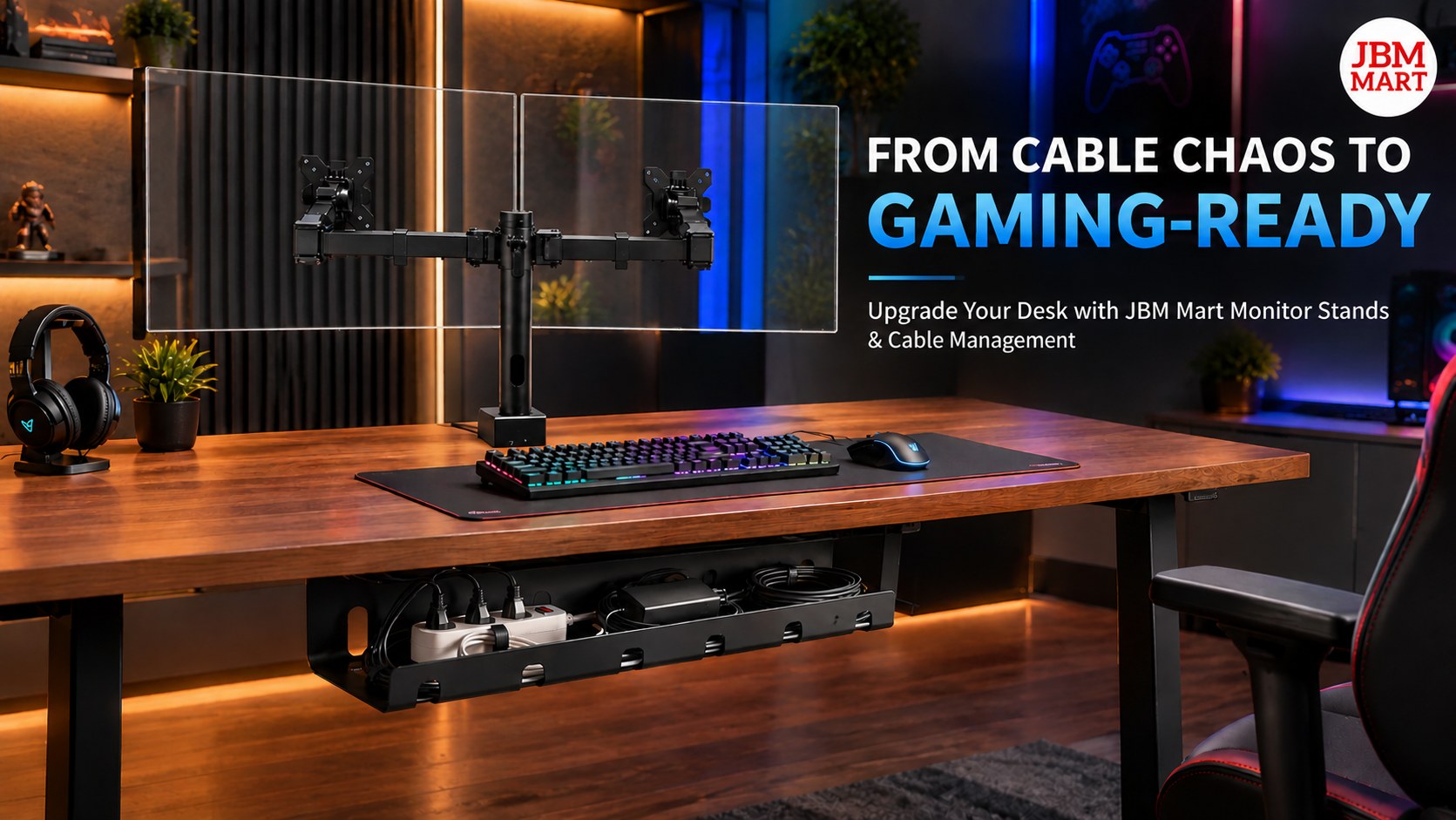
Your Gaming Desk Deserves a Level-Up
A great gaming experience is not just about having a powerful PC, a high-refresh-rate monitor, or an advanced gaming keyboard. Your gaming desk setup also plays an important role in creating a comfortable, organized, and visually appealing gaming environment. However, one common problem many gamers face is cable chaos. Loose wires, tangled charging cables, messy extension boards, and poorly positioned monitors can make even an expensive gaming setup look unfinished.
This is where a well-planned gaming desk setup can make a difference. With the right JBM Mart Monitor Stand and Cable Management solutions, you can transform a cluttered desk into a clean, functional, and professional-looking gaming station. Whether you are a casual gamer, a competitive PC gamer, a streamer, or someone who spends hours working and gaming at the same desk, organizing your setup can help create a better everyday experience.
From improving monitor placement to organizing wires and creating a minimalist gaming desk aesthetic, small upgrades can have a noticeable impact. You do not always need to purchase an entirely new gaming desk to achieve a professional look. Sometimes, the smartest upgrade is simply making better use of the space you already have.
1. Why Cable Management Is Essential for a Gaming Desk Setup
Imagine preparing for an important gaming session, only to find charging cables crossing your mousepad, monitor wires hanging behind your desk, and power cables tangled around other accessories. Apart from looking untidy, this arrangement can make it harder to clean your desk and access your equipment.
Effective gaming desk cable management helps keep these wires organized and out of the way. By routing cables neatly along the desk, securing loose wires, and keeping power connections accessible, you can create a cleaner gaming environment.
Good cable management for a gaming setup offers several practical benefits:
-
A cleaner gaming aesthetic: Fewer visible wires help create a polished, minimalist appearance.
-
More usable desk space: Organized cables can reduce clutter around your keyboard, mouse, and mousepad.
-
Easier cleaning: Dusting around your gaming accessories becomes more convenient when wires are properly arranged.
-
Better accessibility: Clearly organized cables are easier to identify when you need to disconnect or replace a device.
-
A more professional streaming background: A tidy desk can help your gaming area look better on camera.
With JBM Mart Cable Management solutions, gamers can work toward a cleaner desk without sacrificing the accessories that make their setup unique.
2. Upgrade Your Gaming Setup with a Monitor Stand
Your monitor is often the centerpiece of your gaming desk. However, placing it directly on the desk can consume valuable space and may not provide the viewing height that feels most comfortable for you.
A JBM Mart Monitor Stand can help organize your gaming workstation by raising your monitor off the desk surface, depending on the stand design. This can free up space underneath the screen for smaller accessories and help you arrange your desk more efficiently.
For gamers who use multiple displays, a compatible dual monitor stand can also help create a more structured setup. Depending on the model, monitor stands may offer features such as height adjustment, tilt, swivel, rotation, and cable routing.
Before selecting a monitor stand, consider these important factors:
-
Monitor size and weight: Check that the stand supports your monitor's specifications.
-
Desk compatibility: Confirm that the mounting method suits your desk thickness and construction.
-
Screen positioning: Choose a setup that allows you to position your display comfortably.
-
Available desk space: Consider whether a tabletop stand or clamp-mounted design works better for your gaming desk.
-
Cable routing: Look for cable management features that help keep display and power wires organized.
A properly selected JBM Mart Monitor Stand can be a practical upgrade for gamers who want a more organized desk, a cleaner monitor arrangement, and a professional gaming setup aesthetic.
3. Build a Minimalist Gaming Desk Aesthetic
The minimalist gaming desk trend is popular among people who want their gaming stations to look stylish without feeling crowded. Instead of filling every corner with accessories, a minimalist setup focuses on purposeful placement, coordinated colors, and a clean workspace.
You can achieve this look without removing your favorite gaming equipment. Start by keeping only frequently used items on the desk. Place your keyboard and mouse where they are easy to access, position your monitor appropriately, and move unnecessary accessories away from your main gaming area.
Next, consider how your desk accessories work together. Black accessories can create a cohesive look, while neutral surfaces and subtle lighting can complement gaming equipment with RGB illumination. You can also coordinate your monitor stand, mousepad, headphones, and desk accessories to create a consistent visual theme.
Combining a JBM Mart Monitor Stand with effective JBM Mart Cable Management can help reduce visual clutter and allow the important elements of your gaming setup to stand out. A clean desk can look impressive in photographs, gaming videos, and live-streaming backgrounds without requiring an expensive room makeover.
4. How to Organize Gaming Desk Cables Step by Step
You do not need advanced technical skills to start organizing your gaming desk cables. A simple plan can help you make your setup cleaner and easier to maintain.
Step 1: Identify Every Cable
Begin by identifying the cables connected to your monitor, PC, keyboard, mouse, speakers, microphone, charging devices, and other gaming accessories. Understanding which cable belongs to which device makes the organization process easier.
Step 2: Remove Unnecessary Wires
Disconnect unused accessories and remove cables that no longer serve a purpose. Before unplugging anything, make sure you know what the cable connects to and whether the device needs to remain connected.
Step 3: Group Cables by Function
Keep power cables, display cables, and peripheral cables organized in separate groups where practical. Grouping cables can make troubleshooting easier and help reduce the appearance of tangled wires.
Step 4: Use Suitable Cable Management Accessories
Cable clips, reusable cable ties, sleeves, and under-desk cable trays can help organize loose wires. Choose the appropriate solution for your desk layout and the number of cables you need to manage.
JBM Mart Cable Management solutions can be considered when planning a cleaner desk arrangement. Select products that match your cable volume, desk design, and installation requirements.
Step 5: Route Wires Away from Your Main Workspace
Whenever practical, route cables behind the monitor or along the back and underside of the desk. Keep wires away from your mouse movement area, chair wheels, and places where they could be pulled accidentally.
Step 6: Leave Enough Cable Slack
Avoid stretching cables tightly between devices. Leave enough slack to accommodate monitor adjustments, desk movement, and normal use. Never bend cables sharply or place excessive pressure on connectors.
Step 7: Review and Maintain Your Setup
Once the cables are arranged, check that every connection remains secure and that ventilation openings are unobstructed. Revisit your cable arrangement whenever you add a new gaming accessory.
Following these steps can turn cable management from a frustrating task into a simple part of maintaining your gaming workstation.
5. Combine Monitor Placement and Cable Management for a Cleaner Look
A common mistake when upgrading a gaming desk is treating monitor placement and cable management as two separate tasks. In reality, they work best together.
For example, raising your monitor with a compatible JBM Mart Monitor Stand may create additional space underneath the screen. That area can be used for small accessories, provided they do not obstruct ventilation or interfere with your equipment. Meanwhile, arranging the monitor's power and display cables behind the desk can reduce the number of wires visible from the front.
If you use a monitor arm, check its cable routing design and ensure that the cables can move safely throughout the arm's adjustment range. If you prefer a tabletop monitor stand, organize the cables around its base without pinching them.
For dual-monitor gaming desks, plan the position of both screens before securing the wires. This helps avoid having to redo your cable arrangement after changing the display layout.
JBM Mart Monitor Stand and Cable Management products can be part of a coordinated workspace upgrade that prioritizes both appearance and practical organization. The best result comes from choosing compatible accessories and planning their placement around your actual gaming habits.
6. Gaming Desk Setup Ideas for Different Types of Gamers
Every gamer has different needs, so there is no single perfect gaming desk layout. The right setup depends on the equipment you use, the available space, and how you play.
The Competitive PC Gamer
Competitive gamers often prioritize comfortable positioning, quick access to peripherals, and enough mouse movement space. Keep the central desk area clear, position the monitor appropriately, and route cables away from the keyboard and mousepad.
The Dual-Monitor Gamer
Dual-monitor setups are useful for gaming alongside chat applications, streaming tools, tutorials, or other tasks. A compatible dual monitor stand can help arrange both screens, while planned cable routing keeps the back of the desk organized.
The Gaming Streamer
Streamers may need a microphone, webcam, lighting, headphones, and additional charging connections. Group cables according to their purpose and avoid placing unnecessary equipment in the camera's main view.
The Small-Room Gamer
A small gaming desk benefits from efficient use of vertical and under-desk space. A suitable JBM Mart Monitor Stand can help create more usable room, while compact cable management accessories can keep wires from spreading across the desk.
The Work-and-Gaming User
If you use the same desk for professional work and gaming, prioritize accessories that support both activities. An organized monitor arrangement, neatly routed cables, and a clear central workspace can make switching between work mode and gaming mode easier.
7. Common Gaming Desk Cable Management Mistakes to Avoid
Even a well-designed setup can become messy when cables are not arranged thoughtfully. Avoid these common mistakes:
Using too many cable ties: Securing every wire too tightly can make future adjustments difficult. Reusable ties can make maintenance easier.
Ignoring the underside of the desk: Hiding wires behind the monitor while leaving a tangled bundle underneath does not solve the entire problem. Organize both visible and hidden cables.
Overloading power connections: Cable management should never mean connecting too many devices to an unsuitable power strip. Follow the manufacturer's electrical ratings and safety instructions.
Blocking ventilation: Do not place accessories where they restrict airflow around your PC, monitor, or other electronics.
Choosing an incompatible monitor stand: Always check monitor weight, screen size, mounting compatibility, and desk requirements before purchasing.
Ignoring cable movement: Adjustable monitors and arms need enough cable slack to move without pulling on connectors.
Focusing only on appearance: A gaming desk should look good, but safety, accessibility, and comfort should come first.
Avoiding these mistakes helps keep your gaming setup organized, practical, and easier to maintain over time.
8. Why Choose JBM Mart Monitor Stand and Cable Management Solutions?
Building a better gaming desk does not always require replacing your furniture or buying every trending gaming accessory. Often, practical improvements to monitor placement and wire organization can make a meaningful difference.
JBM Mart offers workspace and organization products designed for different everyday needs. When exploring JBM Mart Monitor Stand options, consider the stand type, adjustment features, supported monitor specifications, and desk compatibility. When choosing JBM Mart Cable Management products, consider how many wires you need to organize, where your power connections are located, and how easily you may need to access them later.
These considerations are useful whether you are upgrading a personal gaming corner, setting up a home office, organizing a streaming desk, or improving a shared work-and-play space.
The most effective setup is one that matches your requirements rather than simply copying a photograph from social media. Start with your biggest problem, choose accessories that solve it, and improve the arrangement gradually.
Explore JBM Mart workspace and cable organization products at https://www.jbmmart.com to find suitable options for your desk setup.
Conclusion: Turn Your Gaming Desk into a Space You Love
A professional-looking gaming setup is built through thoughtful choices, not just expensive hardware. Reducing visible wires, improving monitor placement, and making better use of desk space can help transform a cluttered workstation into a clean and comfortable gaming environment.
With a suitable JBM Mart Monitor Stand and effective JBM Mart Cable Management, you can work toward a gaming desk that looks better, feels more organized, and supports your daily gaming routine. Whether you prefer a minimalist battlestation, a dual-monitor setup, or a colorful RGB gaming station, organization is the foundation that brings everything together.
Start with your cables, improve your monitor arrangement, and build your ideal gaming desk one upgrade at a time. Your next gaming setup level-up may be closer than you think.
Frequently Asked Questions (FAQs)
1. How can I make my gaming desk look more professional?
Start by organizing cables, positioning your monitor comfortably, removing unnecessary clutter, and coordinating your desk accessories. A suitable JBM Mart Monitor Stand and practical JBM Mart Cable Management products can help create a cleaner gaming desk aesthetic.
2. What is the best way to manage cables on a gaming desk?
Group cables by function, use cable clips or reusable ties, route wires behind or underneath the desk, and leave enough slack for safe movement. An under-desk cable tray can help organize suitable power and accessory cables.
3. Does a monitor stand help with gaming desk organization?
Yes. Depending on its design, a monitor stand can raise the display, free up space beneath it, and help create a more structured desk layout. Check compatibility and adjust the display to a comfortable viewing position.
4. How do I organize cables in a dual-monitor gaming setup?
Plan the position of both monitors first, identify the power and display cables for each screen, group the wires, and route them along the desk's rear or underside. Ensure the cables have enough slack if you use adjustable monitor arms.
5. Can cable management improve a gaming setup without buying a new desk?
Yes. Cable clips, reusable ties, sleeves, and cable trays can help organize wires on an existing desk. Repositioning accessories and using a compatible JBM Mart Monitor Stand may also help make better use of the available space.
6. What should I look for when buying a monitor stand?
Check supported screen size and weight, mounting type, desk compatibility, height and angle adjustments, available desk space, and cable routing features. Choose a stand that matches your monitor and the way you use your gaming workstation.
7. Where can I find monitor stands and cable management products?
You can explore workspace organization and monitor stand products through JBM Mart at https://www.jbmmart.com. Review each product's specifications and installation requirements before choosing an option for your gaming desk.
8. What are the most important gaming desk setup accessories?
Useful accessories may include a monitor stand, cable clips, an under-desk cable tray, a suitable mousepad, a headset holder, and task lighting. Prioritize accessories that solve actual space, comfort, and organization problems.