
18 Aug 2026
Monitor Stand Ideas for Schools and Training Centers
Discover practical monitor stand ideas for schools and training centers to improve computer lab organization, save desk space, and create comfortable student and trainer workstations.
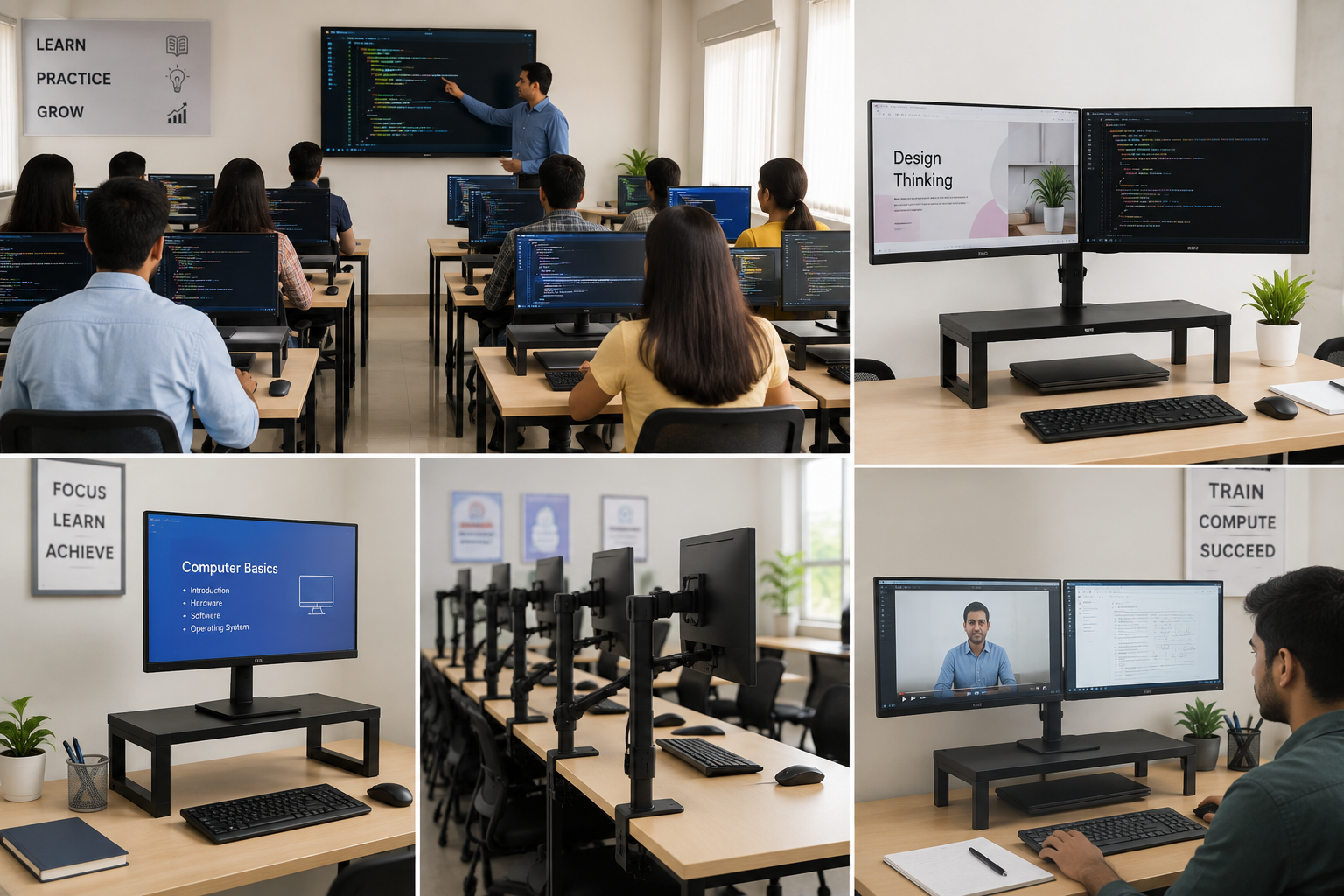
In schools, coaching institutes, computer labs, skill-development centers, and training rooms, computers are an important part of learning. Students and trainers spend several hours working on desktops and monitors, so creating a comfortable and organized workstation is essential. One simple way to improve a computer desk is by using a monitor stand.
A monitor stand can raise the screen to a more comfortable viewing height, create extra space on the desk, and help keep the computer area organized. Whether you are setting up a school computer lab or upgrading a professional training center, the right monitor stand for the desk can make the workspace more practical.
Why Do Schools and Training Centers Need Monitor Stands?
Computer labs often have multiple desks placed close together. Monitors, keyboards, notebooks, cables, and other accessories can quickly make the workspace look crowded.
A computer monitor stand helps organize the monitor while making better use of the available desk space. It can also provide space underneath the monitor for keyboards, stationery, notebooks, or other small items.
For schools and training centers, monitor stands can be useful because they:
-
Keep computer desks more organized
-
Raise monitors to a comfortable viewing level
-
Create additional usable desk space
-
Improve the overall appearance of computer labs
-
Help maintain a consistent workstation setup
-
Support better use of limited classroom space
-
Work well for individual and multiple-monitor setups
1. Single Monitor Stand for Computer Labs
A single monitor stand is a practical choice when each student uses one monitor. It keeps the screen elevated and leaves some space underneath for everyday classroom items.
This type of setup works particularly well in school computer labs, libraries, offices, and basic computer training classrooms.
When purchasing a monitor stand for a computer, look for a sturdy design that can safely support the monitor and fit comfortably on the existing desk.
2. Dual Monitor Stand for Training Centers
Training centers sometimes need two screens for instructors, technical courses, coding classes, graphic design training, or professional work.
A dual monitor stand allows two monitors to be arranged side by side. This can help trainers and students work with multiple applications or reference materials without constantly switching between windows.
For example, one screen can display a lesson or tutorial while the second screen is used for practical work.
3. Adjustable Monitor Stand for Different Users
Students and trainees can have different heights and seating positions. A fixed monitor height may not be comfortable for everyone.
An adjustable monitor stand can make it easier to position the screen according to the user's preferred viewing height.
This can be especially useful in training centers where different students use the same workstation throughout the day.
4. Monitor Stand with Clamp for Flexible Workstations
A monitor stand with a clamp attaches to the edge of a desk instead of taking up a large area of the tabletop.
This is useful when schools have smaller computer desks or need maximum workspace for students. A clamp-based setup can leave more room for keyboards, notebooks, books, and other learning materials.
For compact computer labs, this can be a smart alternative to a traditional tabletop monitor stand.
5. Monitor Stand for Coding and Computer Classes
Coding and computer programming classes often require students to view multiple windows simultaneously. A monitor stand can help position the display at a suitable height and improve desk organization.
For advanced training environments, a dual monitor setup can be especially useful. Students can keep their code editor on one screen and documentation, tutorials, or testing tools on another.
6. Monitor Stand for Graphic Design and Creative Courses
Training centers offering graphic design, video editing, animation, or digital marketing courses may use larger monitors or multiple screens.
A strong desktop monitor stand can help organize these workstations. Adjustable models can also make it easier to position the screen for different activities.
Before choosing one, always check the monitor's size and weight requirements and make sure the stand is compatible.
7. Monitor Stand for Teachers and Trainers
Monitor stands are not only useful for students. Teachers and trainers also spend significant time working at computers.
A well-organized trainer's desk can make teaching easier. For example, the trainer can keep the monitor elevated while using the remaining desk area for lesson plans, notebooks, keyboards, or other equipment.
A monitor stand for an office desk can therefore be useful in classrooms, computer labs, and training offices.
8. Multi-Monitor Setup for Computer Training
Some professional training centers provide advanced courses where students need multiple displays. IT training, stock-market education, software development, design, and other specialized courses may benefit from multi-monitor workstations.
Using the right multi-monitor stand can keep multiple screens organized and reduce the amount of desk space occupied by individual monitor bases.
However, schools should check the total weight and screen-size compatibility before selecting a multi-monitor solution.
9. Space-Saving Monitor Stand for Small Classrooms
Not every school has a large computer lab. Smaller classrooms need to make the best possible use of every inch of desk space.
A space-saving monitor stand can help by lifting the monitor and making the area below it usable. This gives students additional room for keyboards, notebooks, stationery, or study materials.
For compact desks, choosing a stand with the right width and depth is important.
10. Monitor Stand for Better Desk Organization
A clean computer desk can make a classroom look more professional and easier to manage.
Instead of having monitor bases, keyboards, papers, and accessories scattered across the desk, a monitor stand can create designated space. Schools can also use cable-management solutions to keep wires organized.
This is particularly helpful when a classroom contains 10, 20, 30, or more computer workstations.
How to Choose the Right Monitor Stand for a School?
Before purchasing a monitor stand for the school computer lab, consider these factors:
Monitor Size and Weight
Check the monitor's dimensions and weight. The stand should be designed to safely support the screen.
Desk Size
Measure the available desk space before choosing a tabletop or clamp-style monitor stand.
Fixed or Adjustable Design
A fixed stand may be suitable for standard classrooms, while an adjustable model can be better when different people use the same workstation.
Single or Dual Monitor
Choose a single monitor stand for basic computer work and a dual or multi-monitor stand when the course requires multiple displays.
Build Quality
Schools and training centers need products that can handle regular daily use. Choose a stable and durable stand suitable for the intended workload.
Cable Management
A clean setup is easier to maintain when monitor cables can be routed neatly.
People Also Ask About Monitor Stands
What is the purpose of a monitor stand?
A monitor stand raises and supports a computer monitor while helping improve desk organization. Depending on the design, it can also provide additional storage space or allow height and viewing-angle adjustments.
Is a monitor stand good for students?
Yes. A monitor stand can help students maintain a more organized computer workstation and position the screen at a suitable viewing height.
What is the best monitor stand for a computer lab?
The best monitor stand depends on the monitor size, desk space, number of screens, and type of computer training. Single, dual, adjustable, and clamp-mounted stands can all be suitable for different lab setups.
Are monitor stands worth it?
For schools and training centers, monitor stands can be worthwhile because they improve workstation organization, make better use of desk space, and can create a more consistent computer setup.
Can a monitor stand save desk space?
Yes. A monitor stand can lift the monitor above the tabletop and create usable space underneath. Clamp-mounted and monitor-arm designs can save even more desk space.
Can one monitor stand hold two monitors?
Some stands are specifically designed for dual monitors. A standard single-monitor stand should not be used for two screens unless the manufacturer states that it supports the additional load.
Frequently Asked Questions
1. Which monitor stand is best for a school computer lab?
A sturdy single monitor stand is suitable for standard computer labs, while adjustable or dual-monitor stands can be considered for specialized classrooms.
2. Can monitor stands be used on student desks?
Yes, provided the stand fits the desk and safely supports the monitor's size and weight.
3. Do monitor stands help organize computer desks?
Yes. They can raise the monitor and provide additional space for keyboards, notebooks, stationery, and other classroom items.
4. Should schools choose fixed or adjustable monitor stands?
Fixed stands can work well for standardized classrooms. Adjustable monitor stands are more flexible when different students or trainers use the same workstation.
5. Are dual monitor stands useful for training centers?
Yes. They can be useful for courses involving coding, graphic design, video editing, data analysis, and other tasks where users need multiple screens.
6. What should I check before buying a monitor stand?
Check monitor size, monitor weight, desk dimensions, available space, stand height, mounting method, and whether you need a single or multiple-monitor setup.
For schools, offices, coaching institutes, and training centers looking for practical workspace solutions, JBM Mart offers a range of stands and storage products designed for organized work environments.