
22 Aug 2026
POS and EDC Counter Setup Ideas for Small Businesses
Discover smart POS and EDC counter setup ideas for small businesses to keep payment areas organized, save counter space, improve billing efficiency, and create a better customer experience.
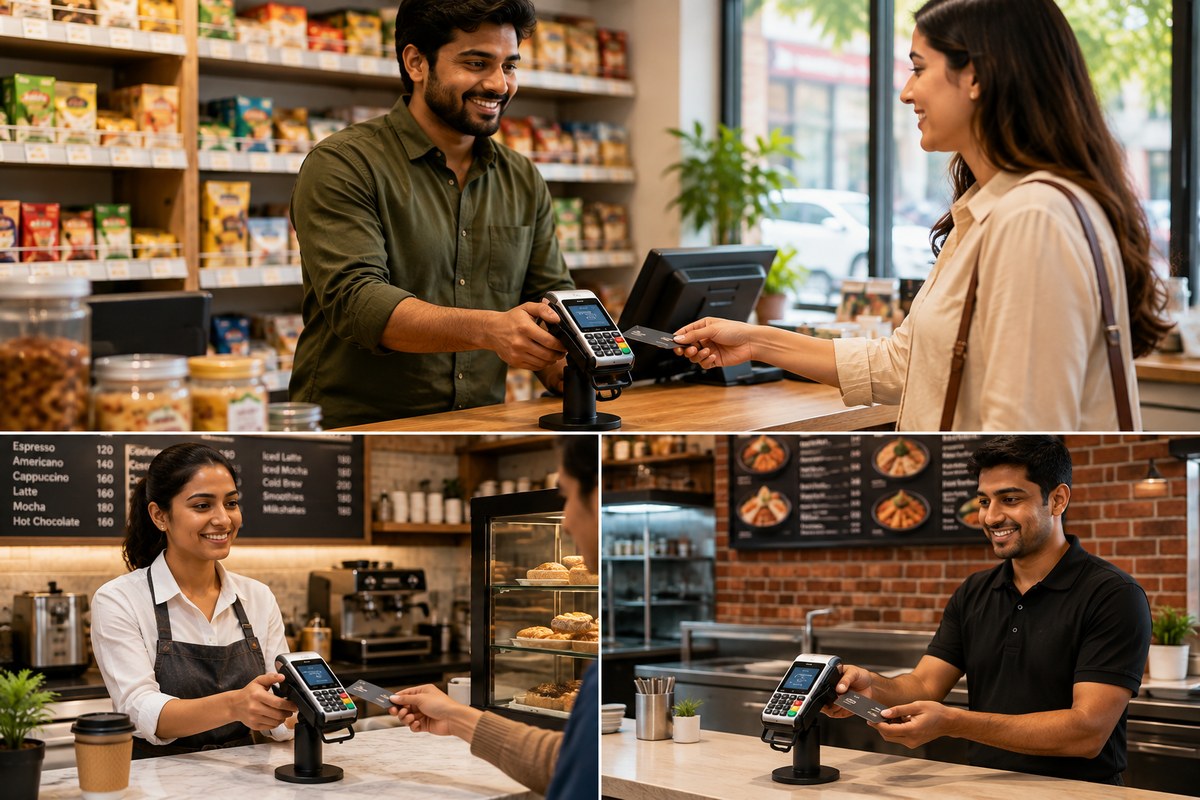
For small businesses, the checkout counter is more than just a place to collect payments. It is an important part of the customer experience. A well-organized POS and EDC counter setup can make billing faster, keep payment devices safe, and give your shop a clean and professional appearance.
Whether you run a retail store, pharmacy, café, salon, clothing shop, electronics store, or small office, the right POS counter setup can help you use your limited counter space more efficiently.
What Is a POS and EDC Counter Setup?
A POS (Point of Sale) system is used to manage billing, sales, receipts, inventory, and customer transactions. An EDC (Electronic Data Capture) machine, commonly called a card machine or payment terminal, allows customers to make card and digital payments.
A good POS and EDC counter setup keeps these devices within easy reach while preventing unnecessary cables, clutter, and accidental falls.
Why Is a Well-Organized POS Counter Important?
A properly arranged checkout counter can provide several benefits:
-
Faster billing: Staff can access the POS system and payment machine easily.
-
Better use of space: Small counters can remain neat and functional.
-
Safer equipment: Stands and holders can help keep payment machines stable.
-
Cleaner appearance: Organized cables and equipment create a professional look.
-
Better customer experience: Customers can easily see and use the payment terminal.
-
Improved workflow: Staff can complete billing and payment steps without moving between different areas.
7 POS and EDC Counter Setup Ideas for Small Businesses
1. Use an EDC Machine Stand
One of the easiest ways to improve a payment counter is to use an EDC machine stand. Instead of keeping the card machine flat on the counter, a suitable stand keeps it positioned at a convenient angle.
An EDC stand can also help reduce counter clutter and make the payment terminal easier for customers to access.
2. Keep the POS Screen at a Comfortable Height
Your POS monitor or billing screen should be positioned where employees can comfortably view and operate it. Avoid placing the screen too low or too far away.
A POS monitor stand can help raise the screen and create additional usable space underneath it for small accessories.
3. Create a Dedicated Payment Area
For small shops, keeping the EDC machine, QR payment display, receipt printer, and other payment accessories in one dedicated area can make the checkout process smoother.
Try arranging the counter in this order:
POS screen → billing accessories → EDC machine → customer payment area
This simple layout allows employees and customers to understand where each step happens.
4. Manage Cables Properly
Cables can quickly make a small billing counter look messy. Keep charging cables, power cords, printer cables, and other wires organized.
Use cable clips, cable ties, or cable management solutions to keep wires together. Where possible, route cables toward the back of the counter so they don't interfere with customers or staff.
5. Choose a Compact POS Counter Setup
Small businesses often have limited counter space. Instead of using large accessories, select compact stands and organizers that provide functionality without taking up unnecessary room.
A compact setup can include:
-
POS monitor stand
-
EDC machine stand
-
Receipt printer
-
QR payment display
-
Barcode scanner
-
Small storage organizer
-
Cable management accessories
The goal is to make every part of the counter useful.
6. Keep Frequently Used Accessories Within Reach
Items such as receipt paper, pens, bills, small stationery, and barcode scanners should be kept close to the billing area.
A small countertop organizer or storage compartment can prevent these items from spreading across the counter.
7. Make the Counter Customer-Friendly
The customer should have enough space to tap, insert, or swipe their card and enter a PIN when required. The EDC machine should not be hidden behind the POS screen or other equipment.
If your business accepts QR payments, keep the QR code visible and positioned where customers can easily scan it.
POS Counter Setup Ideas for Different Small Businesses
Retail Shops
Retail stores can combine a POS monitor, barcode scanner, receipt printer, and EDC machine on one compact counter.
Cafés and Restaurants
Cafés can benefit from a simple setup where the POS system and EDC machine are positioned close to the customer-facing side of the counter for quick payments.
Pharmacies
Pharmacies can use compact POS accessories to save counter space while keeping billing equipment and payment terminals organized.
Clothing Stores
A clean checkout counter can complement the store's overall appearance. Keep the payment machine easily accessible while storing receipt paper and stationery nearby.
Salons
Salons can use a small POS and EDC setup near the reception desk to handle appointments, billing, and digital payments efficiently.
How to Choose an EDC Machine Stand
Before buying an EDC machine stand, consider:
-
Machine compatibility: Make sure the stand fits your payment terminal.
-
Stability: Choose a sturdy stand that does not easily move or tip over.
-
Accessibility: Customers should be able to use the machine comfortably.
-
Counter space: Select a compact design if your counter is small.
-
Cable access: The stand should allow convenient charging and cable connection.
-
Build quality: Durable materials are better suited for busy checkout counters.
-
Appearance: A clean and professional design can improve the overall look of your counter.
Common POS Counter Setup Mistakes to Avoid
Even a good POS system can become difficult to use if the counter is poorly arranged. Avoid:
-
Placing the EDC machine behind other equipment
-
Leaving cables scattered across the counter
-
Blocking the customer payment area
-
Using oversized stands on a small counter
-
Keeping receipt paper far away from the printer
-
Overloading the counter with unnecessary accessories
-
Positioning the POS screen where staff cannot comfortably view it
Frequently Asked Questions About POS and EDC Counter Setup
What is the best POS counter setup for a small business?
The best setup depends on your business and available space. Generally, a compact POS screen, receipt printer, barcode scanner, EDC machine stand, and organized cable management can create an efficient checkout area.
How do I organize my POS counter?
Keep frequently used equipment within reach, create a dedicated payment area, manage cables, and use compact stands or organizers to reduce clutter.
Is an EDC machine stand useful?
Yes. An EDC machine stand can keep the payment terminal stable, improve accessibility, and help create a cleaner checkout counter.
How can I save space on a small billing counter?
Use compact POS accessories, vertical stands, countertop organizers, and proper cable management. Avoid keeping unnecessary items on the counter.
Where should an EDC machine be placed?
The EDC machine should be positioned where both the employee and customer can comfortably access it. It should also have enough space for card insertion, tapping, or PIN entry.
What equipment is needed for a POS counter?
A typical POS counter may include a POS computer or tablet, monitor, barcode scanner, receipt printer, cash drawer, EDC/card machine, QR payment display, and suitable stands or organizers.
Using compact accessories such as an EDC machine stand, POS monitor stand, and countertop organizer can help businesses make better use of their available space while keeping payment equipment accessible.
For small businesses looking for practical counter accessories, JBM Mart offers solutions designed to help create organized and functional workspaces. A well-planned counter can make everyday billing easier while also giving customers a better checkout experience.